

World-Class Version Control
SourceGear Vault Pro is a version control and bug tracking solution for professional development teams. Vault Standard is for those who only want version control. Vault is based on a client / server architecture using technologies such as Microsoft SQL Server and IIS Web Services for increased performance, scalability, and security. Vault is affordably-priced, painless to install, and intuitive to use, allowing your team to be up and running quickly.
A Reliable, User Friendly Version Control System
Vault was designed to ensure the integrity of data by committing source code changes in atomic operations to a SQL Server database. All communication between client and server is done over HTTP with data compression and binary deltas to provide the best in remote access. In addition, Vault supports exclusive features such as Line History and Event Notifications. more »
The #1 Replacement for Visual SourceSafe
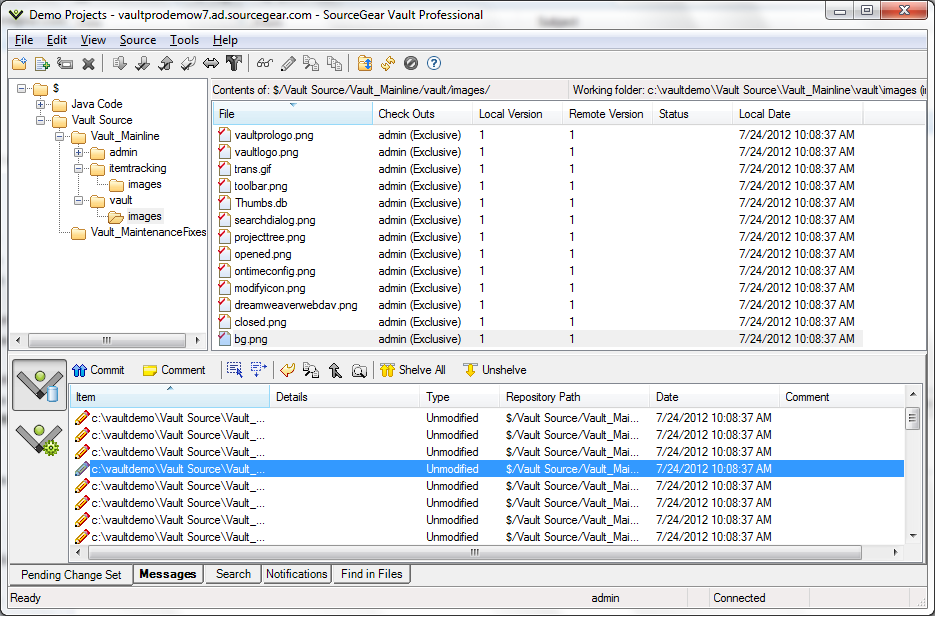
From its inception, SourceGear Vault was designed and built for users migrating from Microsoft Visual SourceSafe. Vault implements nearly every feature of SourceSafe, including Share and Pin, preserves the workflow that teams using SourceSafe rely on, and provides a familiar user interface that eliminates any learning curve. more »
Fully Integrated Work Item Tracking
For users needing more than source control, Vault Professional offers fully integrated work item tracking in a powerful, yet easy to use interface. Source code changes and work item updates are linked as part of checkin operations, so you'll always know what changes are related to which items. more »
Toolset Integration and Cross-Platform Support
Vault integrates into the leading IDEs, including Visual Studio and Eclipse. Access Vault from MacOS and Linux using the new Vault Cross Platform Client. Build integration is provided with support for CruiseControl.NET and Nant. Vault also supports integration with a variety of popular 3rd party tools, such as devart's dbForge Source Control. A Java command-line client is available for cross-platform support. more »
What's New in Vault 11
Vault 11 underwent major, foundational updates leveraging current tools and built on newer libraries for today's modern systems and platforms. Vault 11 now requires .NET Framework 4.8 or above, and includes support for Visual Studio 2025. For additional details, visit our Vault 11 Feature Outline.
Try Vault for Free
Vault is free for a single user. In addition, full product evaluations for up to 10 users are available at no charge. Vault is easy to install and you'll be up and running quickly.